
Project lifecycle & stage tracking
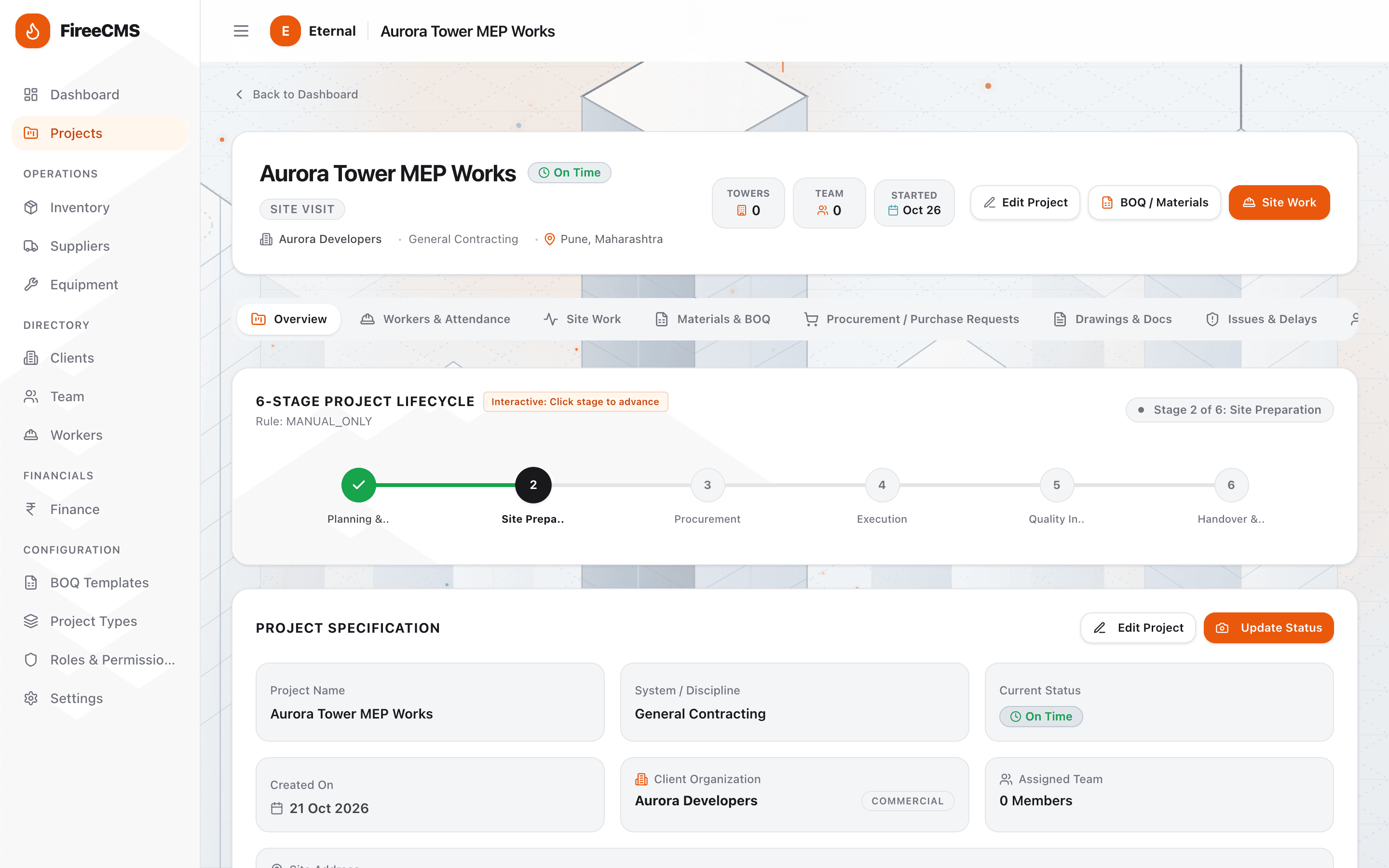
Run every project on a defined stage model with owners, evidence and approval gates, not a spreadsheet that nobody trusts.
FireeCMS brings clients, projects, versioned BOQ, procurement, inventory, site work, workforce and finance into one workspace, with a clean portal for the client.
Who it is for
FireeCMS is a content management system for contracting agencies. Each agency runs its own workspace and client projects, with the same structure for BOQ, procurement, site work and reporting.
Foundation, concrete and brickwork
Electrical, plumbing and drainage
Hydrants, alarms and fire NOC compliance
Tiling, painting and waterproofing
Steel grills, gates, windows and glass
CCTV, guards and site access control
The everyday problem
The work is not complicated because of the engineering. It is complicated because the same project lives in five places at once.
Quantities live in a spreadsheet that three people edit and nobody trusts.
Procurement, store and site work in separate chats, so availability is a guess.
Clients ask for an update, and someone rebuilds a status deck by hand.
One system
Each module is useful on its own. Together they give you one version of the truth from the first client meeting to handover.
Run every project on a defined stage model with owners, evidence and approval gates, not a spreadsheet that nobody trusts.
Keep a clean, auditable Bill of Quantities. Every change is a new version, with a visual diff and approval before it becomes the baseline.
Turn approved quantities into purchase requests, track receipts and deliveries, and keep a single supplier directory.
Know what is in each warehouse, what is on site, and what is installed, without chasing storekeepers for updates.
Capture what actually happened on site: visits, attendance, work logs, installed quantities, issues and delays.
Give clients a clean, read-only view of progress and certificates, and keep every drawing and document in one place.
How it works
Create your workspace, invite your team and assign roles. Each company is isolated from every other tenant.
Register clients and offices, then create projects with the right type, stage model and team.
Upload or build a Bill of Quantities, compare versions and approve the baseline before work starts.
Raise purchase requests, receive material, log site progress and share milestones with the client.
For your team
For your clients
Clients sign in to a separate, read-only view: project status, the stage tracker, milestones and the certificates or drawings you choose to share. They never see internal company data.
Open the client portalEvery request is scoped to your company. Inside your company, six default roles and granular permissions decide who can do what, enforced on the server, not just hidden in the interface. Critical changes are written to an audit log.
How access and data are handledQuestions
FireeCMS is a content management system (CMS) for contracting agencies. It brings project stages, versioned BOQ, procurement, inventory, site work, workforce, finance and a client portal into one system.
Civil, MEP, fire & safety, finishing and interior, fabrication and glazing, and security and surveillance agencies that manage multiple client projects.
Main civil contractors, MEP contractors, fire & safety agencies, finishing and interior contractors, fabrication and glazing agencies, and security and surveillance agencies.
Every BOQ change creates a new immutable version with an item-level diff. Drafts can be edited; once approved, a version becomes the baseline and cannot be overwritten in place.
Yes. Clients get an isolated, read-only portal showing project status, the stage tracker and shared documents. They cannot reach internal company screens.
Yes. Every request is scoped to your company, and services re-validate ownership before reading or writing. Authorisation is enforced on the server, not just hidden in the UI.
FireeCMS is a progressive web app. It installs to a phone home screen from the browser and includes an offline fallback for poor-signal site conditions.
Yes. Share your details on the contact page and we will arrange a walkthrough using a sample company, or discuss a trial for your team.
See it with your own projects
Book a walkthrough and we will show the workflow on a sample company, from client and project setup through BOQ approval, procurement and the client portal.